
PowerZ Parents

The Adventure They Love. The Controls You Choose.

An adventure for curious kids ages 6+, with adaptive learning, ad-free play, and settings you can choose together.

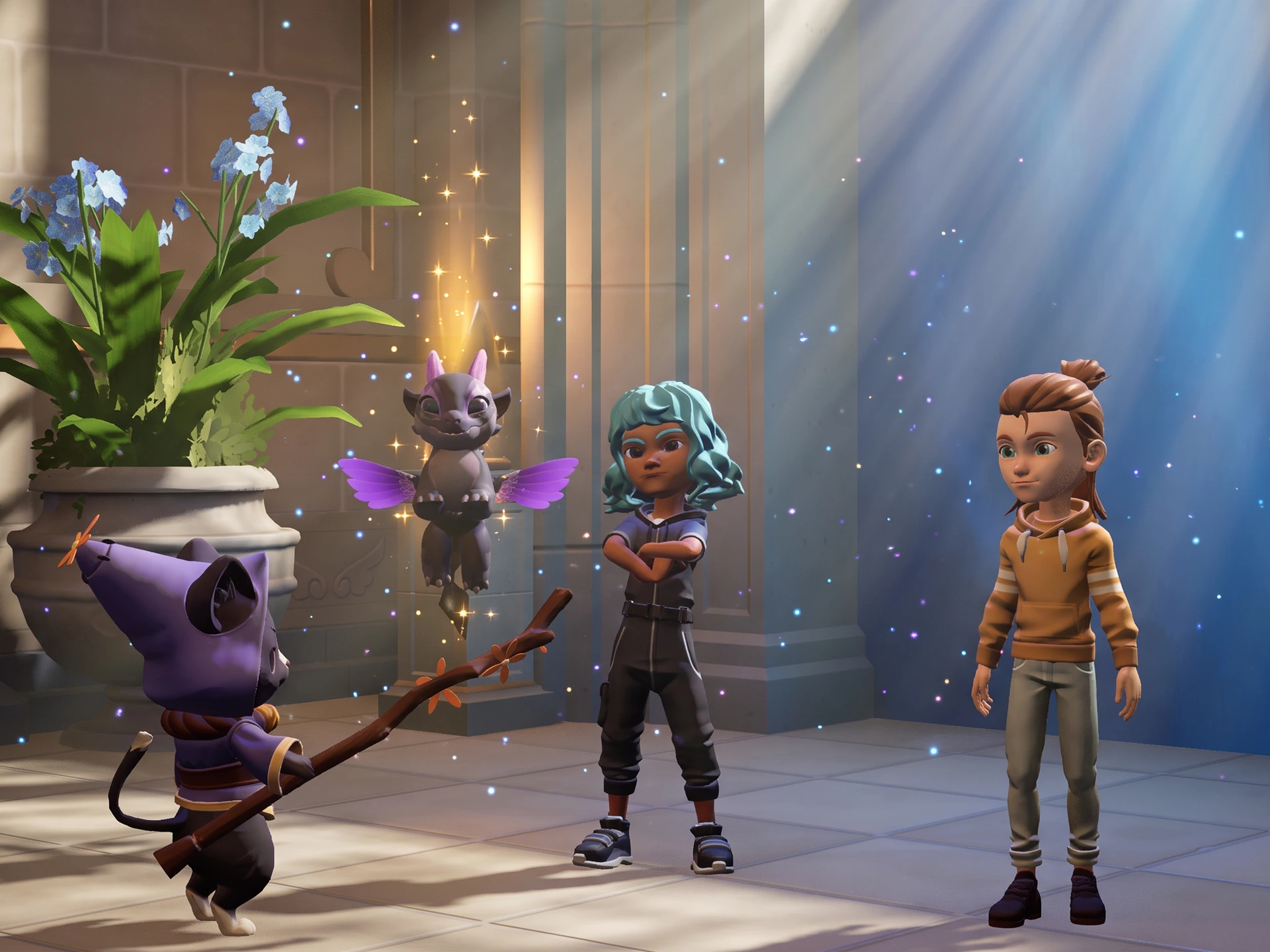
A young adventurer meets Mica, Pip, and a floating Chimera at the Academy

Before Their First Quest.

A few choices to make together before your child sets off into Aria.

  1. Choose Who They Can Talk To

    Open Settings > Profile, complete the Parent Gate, and choose chat and friend-request permissions.

    See the options
  2. Set Your Purchase Preferences

    On iPhone or iPad, use Ask to Buy for eligible requests, require a purchase password, or block in-app purchases with Screen Time.

    Understand purchases
  3. Protect Their Progress

    Add an email address to the account when prompted and complete verification. Keep access to that email for future sign-ins.

    Save their adventure

Where Curiosity
Meets Capability.

Designed for Ages 6+

PowerZ is designed for children ages 6+. Basic reading skills help players navigate dialogue, instructions, and story quests independently.

The US App Store currently rates the app 9+. Learning age and store content ratings are different; review the content details in your local store.

Check the App Store rating
Learning Through Play

Story-driven quests and adaptive mini-games cover K–6 concepts in math, grammar, geography, history, and logic. The difficulty of learning challenges adapts as children play.

Explore learning in PowerZ

A Little Practice, a New Discovery

Math
Corridor of 1,000 DoorsWork through math equations.
Grammar
Tower of WordsPut grammar skills into practice.
Geography
GlobetrotterFind countries on a world map.
History
Chrono-ShuffleExplore history through play.

Player Safety.
A Shared Priority.

We know family online safety is non-negotiable. Our safety model combines advanced message filters, human review, and strict parental controls.

100% Ad-Free Zone

Zero third-party ads or pop-ups. PowerZ is free to start, with optional, transparent content purchases.

A Moderated Space to Connect

Chat and Friend Requests

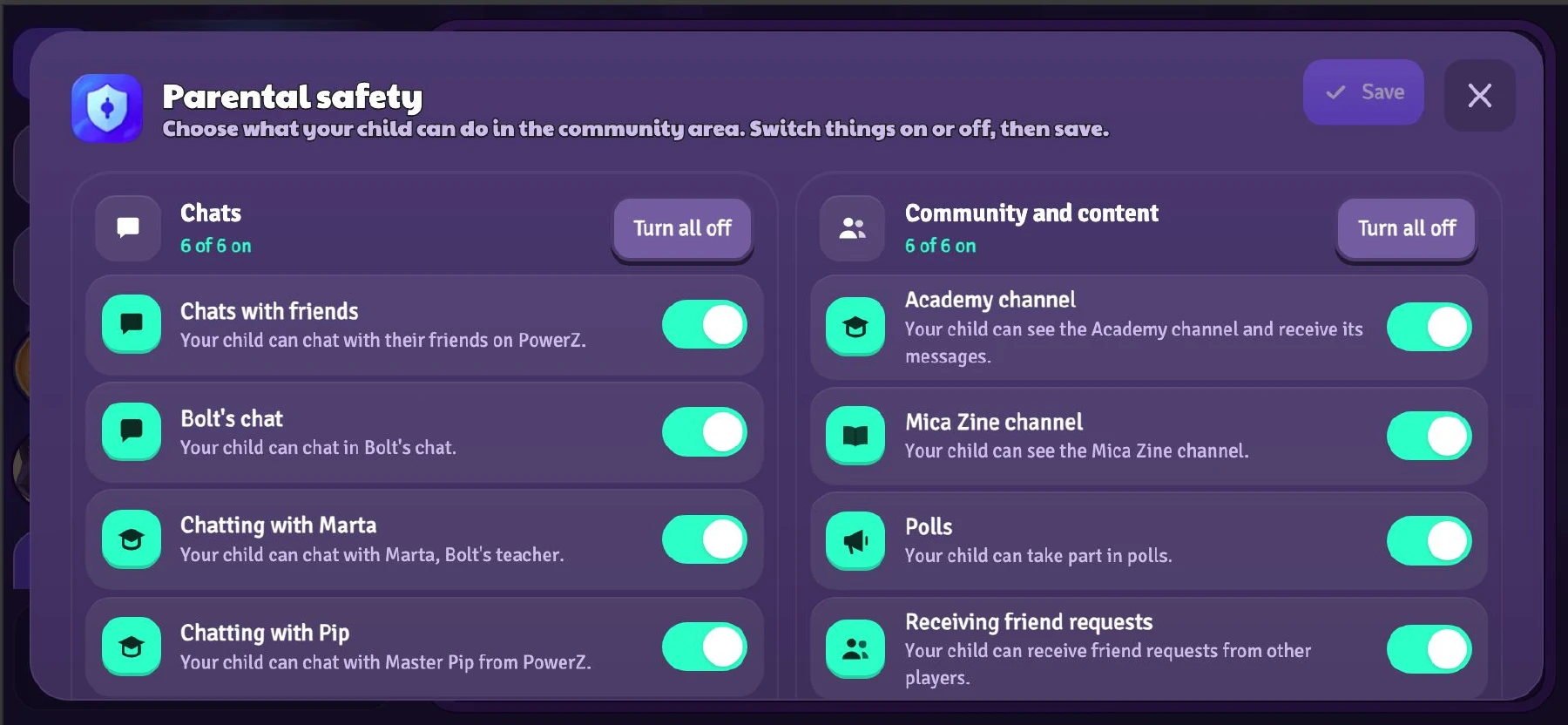
In Settings > Profile, the Parent Gate protects social permissions with a math or logic question.

Chat: choose All Players, Friends Only, or Chat Off.

Friend requests: choose Send & Receive Requests, Send Requests Only, or Friends Off.

You can change or disable these permissions at any time behind the Parent Gate.

PowerZ parental safety settings with individual toggles for chats, community channels, and friend requests
Parental controls View larger

Filters and Human Review

Messages are screened automatically before delivery. Filters help block personal contact details, external links, and inappropriate language.

Our human moderation team reviews flagged conversation logs and takes action when needed. Players can also block another player in the game.

Filters help reduce risk, but cannot guarantee that every inappropriate message is caught. Encourage your child to tell you if an interaction makes them uncomfortable.

  1. Before delivery

    Automated text filters screen messages.

  2. If a concern is flagged

    Conversation logs are sent for review.

  3. Human review

    Moderators review flagged logs and take action when needed.

If an Interaction Doesn’t Feel Right

Block or Switch Chat Off

Use the in-game option to block the player and stop further contact. To turn chat off completely, open Settings > Profile, pass the Parent Gate, and select Chat Off.

Ask Our Team for Help

Open Help in the game settings or email [email protected]. Include the players’ names, the approximate time, and a short description so we can investigate.

Parental Controls
& In-App Purchases.

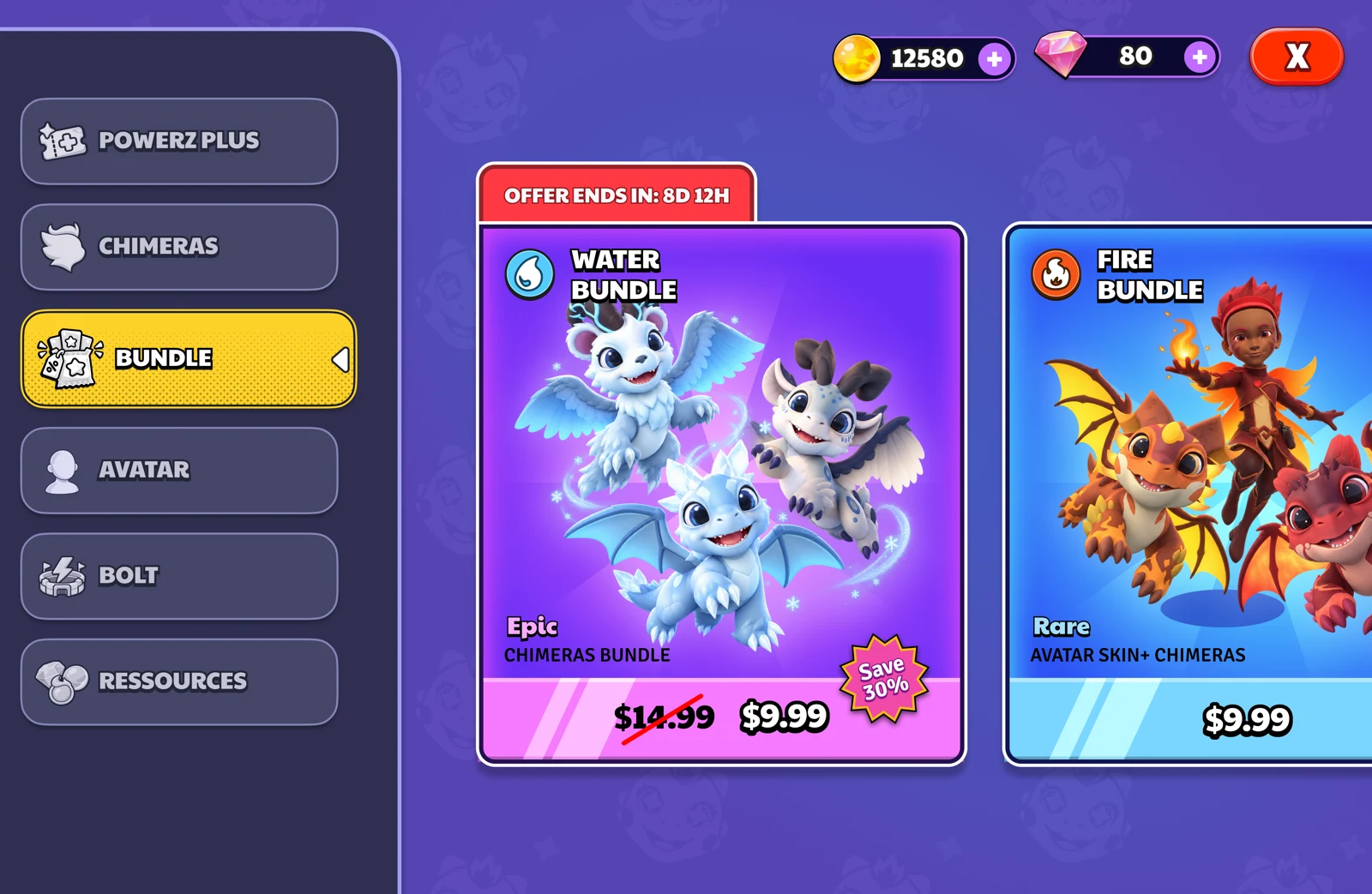
The PowerZ shop displays optional Chimera and avatar bundles with their prices
A preview of optional bundles View larger

Start Playing for Free

The core game, exploration, and learning activities are free. Your child can play with three free Chimeras: Fire, Frankenstein, and Magma.

Additional Chimeras and selected quests require a purchase. Review the offer to see exactly what it unlocks.

Understand Each Offer

Gem packs are one-time purchases of in-game currency for virtual items. Bundles contain the items or content listed in that offer. Check the contents and price before approving a purchase.

Check the App Store confirmation for the price and any renewal terms. You can review any active Apple-billed subscriptions in Settings > your name > Subscriptions.

Manage an Apple subscription

Parent Gate & Device Controls

The math or logic Parent Gate protects access to social settings. For purchases, follow the parental check shown in the game and configure your device’s purchase controls.

Apple’s Ask to Buy lets you approve eligible Family Sharing requests. You can also require a purchase password or use Screen Time to block in-app purchases.

Set up purchase controls

Their Adventure.
Ready to Come Back To.

Keep each child’s journey easy to find, at home or on another device.

Frequently
Asked Questions.

Visit the help center

What age is PowerZ designed for, and why does the App Store say 9+?

PowerZ’s learning adventure is designed for children ages 6+. Basic reading skills help children follow story dialogue, instructions, and quests independently. The US App Store currently gives the app a 9+ content rating. The intended learning audience and the store’s content rating describe different things; review the rating and content details in your local store before deciding whether the game suits your child.

Review the App Store rating

What is free, and what do we need to buy?

Exploration, core learning, and three starter Chimeras (Fire, Frankenstein, Magma) are free. Advanced Chimeras and select quests are optional purchases clearly priced in-app.

See what is free and paid

How do I manage or restrict in-app purchases?

PowerZ is free to start, with optional in-app purchases. The Parent Gate protects access to social settings with a math or logic question. For purchases, follow the parental check shown in the game and configure Apple’s purchase controls: Ask to Buy for eligible Family Sharing requests, a password requirement, or Screen Time to block in-app purchases.

Set up Apple purchase controls

Can my child talk to other players?

In Settings > Profile, choose All Players, Friends Only, or Chat Off. Friend requests have separate settings: Send & Receive Requests, Send Requests Only, or Friends Off. Messages are screened before delivery and flagged conversations receive human review. Filters help reduce risk, but cannot guarantee that every inappropriate message is caught. Children can block other players and ask an adult for help.

Find blocking and support guidance

Can siblings have their own profiles?

Yes. One account supports multiple player profiles so each child tracks their own progress independently. Always confirm whether an in-game purchase applies to an individual profile or the entire account.

Read the account and progress guide

How do we keep progress when changing devices?

Add an email to the existing account and complete verification. On the new device, choose I have an account and sign in with that same email, then select the right player profile. Keep access to the old device until you have confirmed that the original adventure is available.

Protect your child’s progress

How do I delete a profile or account?

Deleting a profile permanently removes its progress. Deleting an account removes all profiles. For data privacy requests or deletion help, contact [email protected].

Read account deletion instructions

Need a hand or have a question?

Use Help in the game settings or email [email protected]. Include the player name, device model, game version, and a brief description. For a safety concern, add the other player’s name and the approximate time of the interaction. Never send a sign-in link or code.

Email the PowerZ team

Need Help? We're Here for You.

Our team is here to answer your questions, help with settings, or resolve any issues.

Use Help in the game settings or email us. Include your player name, device model, game version, and a short description of what happened.

[email protected]

Adventure for Kids.
Choices for Parents.

Discover Aria, its learning activities, and the settings available to your family.

Download PowerZ on the App Store