
How do I share my public information with the support team?
The support team may ask for your launcher version, game version and player profile identifier to investigate a problem. Here is how to find them.
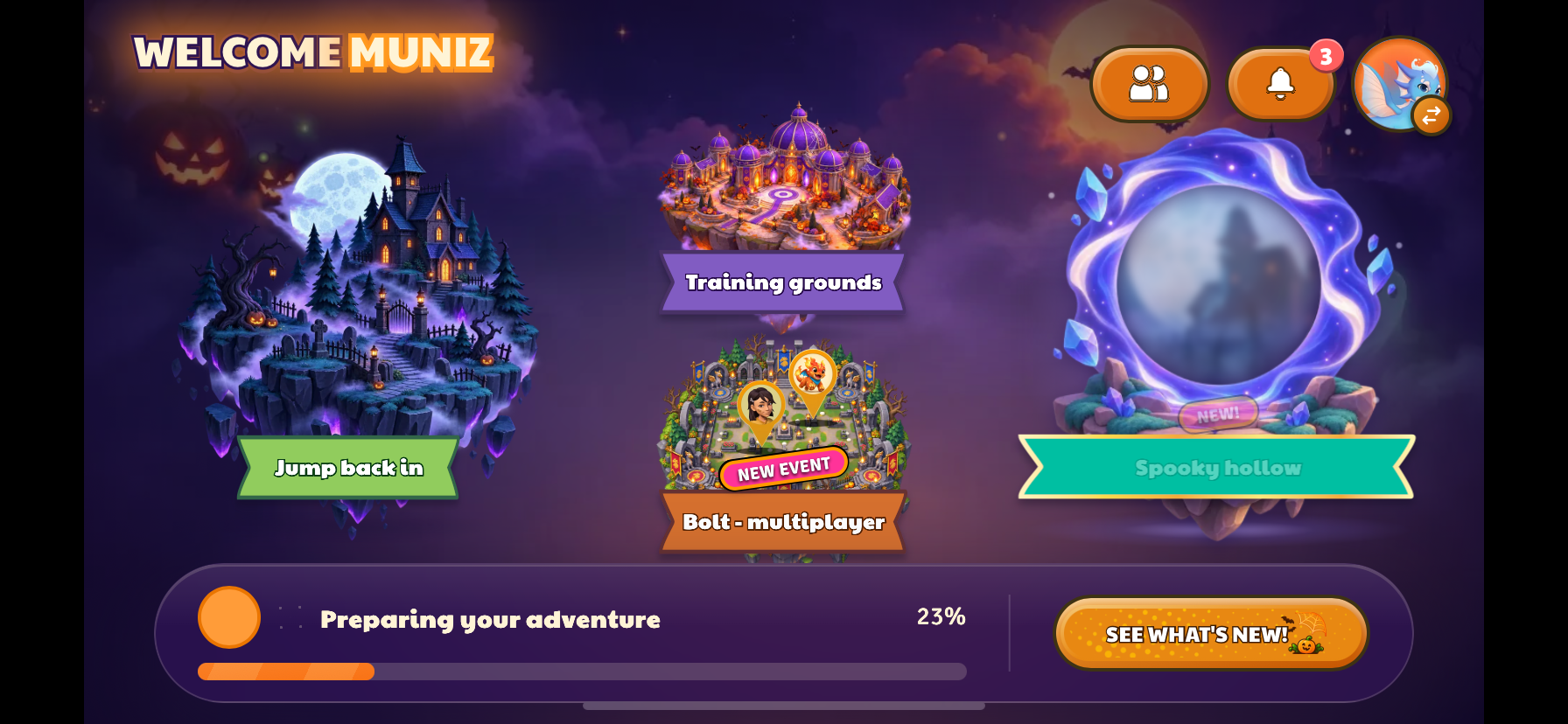
1. Open your player profile.
On the PowerZ home screen, select your avatar in the top-right corner.
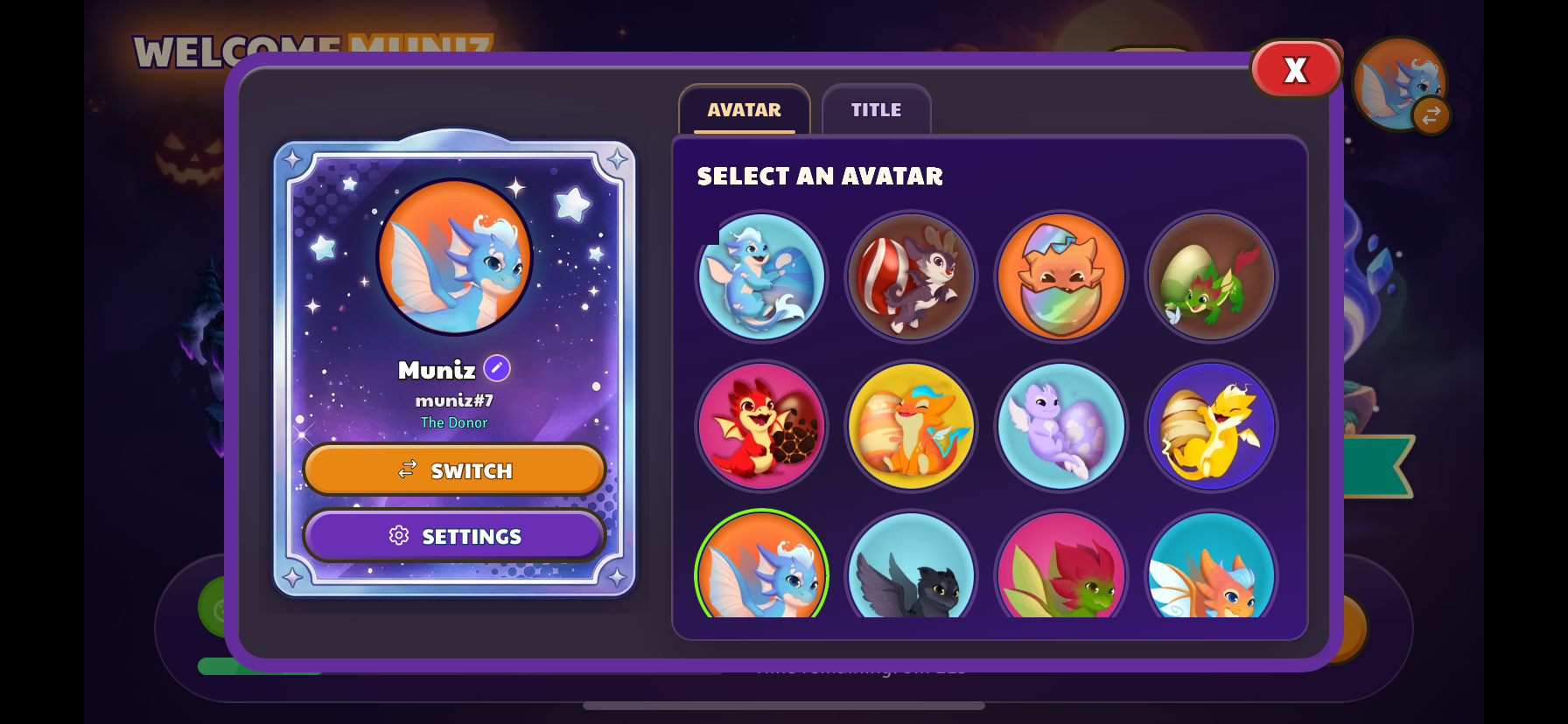
2. Open Settings.
In your profile panel, select Settings below the Switch button.
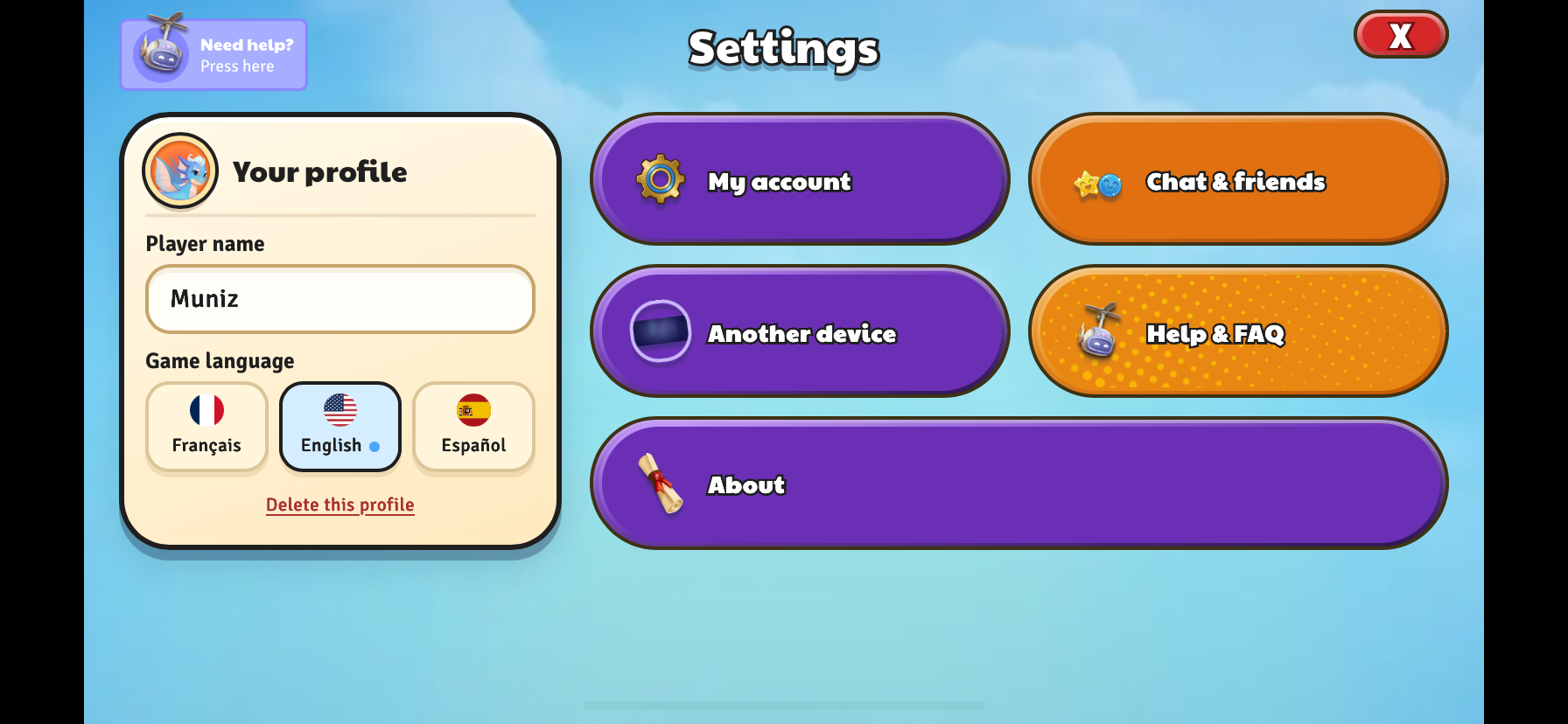
3. Open About.
In Settings, select About at the bottom of the screen.
4. Take a screenshot of your information.
Capture the About window, including the Launcher version, Game version and player profile identifier shown next to child.
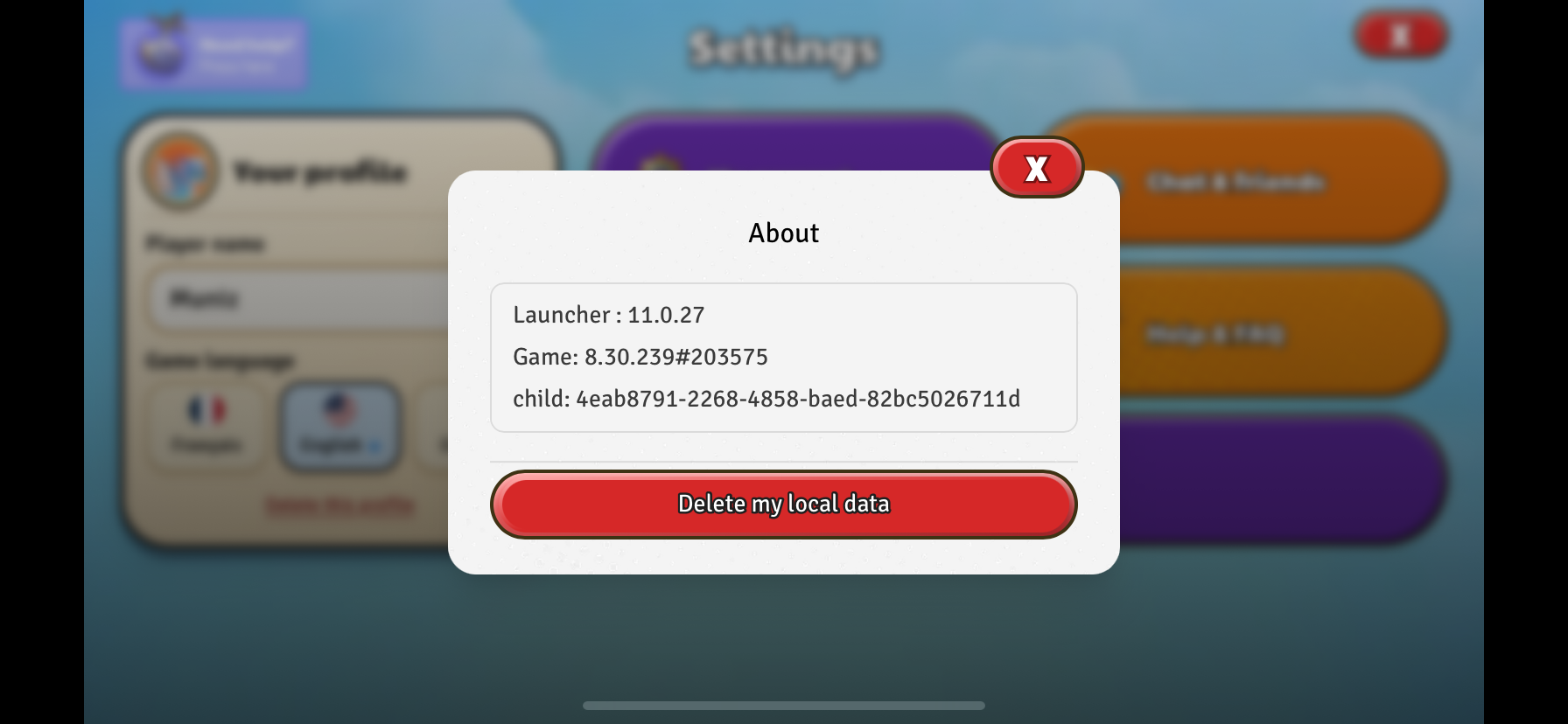
Send this screenshot to [email protected], along with a short description of the problem and your device model. A screenshot is enough: you do not need to select Delete my local data.